














How to Install CoinPoker on Windows PCs
If you want to know how to install CoinPoker on Windows, this is the right place to be. We’ll walk you through the full process, from the first steps all the way to gameplay.
Follow along with our quick video tutorial and learn how to install CoinPoker on Windows PCs.
1. Get Started
Open your web browser, navigate to www.CoinPoker.com, and click the Download button.

2. Download the CoinPoker Windows App
Select Windows on the Download the App page.

3. Wait for Your Download to Finish
Google Chrome users can track the download progress in Recent Download History.
4. Start the Installation Process
Once the download is complete, click on the file to start installation.
- Open Downloads in Chrome with CTRL + J
- Visit the Downloads folder in your File Explorer
Double click the file.
Allow the installation file when the pop-up appears.
5. Wait a Few Minutes
Follow the progress of the installation until it is complete, then click Finish.
6. Open the CoinPoker Application
The CoinPoker app will automatically launch.
New members need to register from the first screen, and existing players can log in.
CoinPoker usually asks you to verify your email address on new devices. This means that we’ll send you an OTP code, which you need to enter in the application.

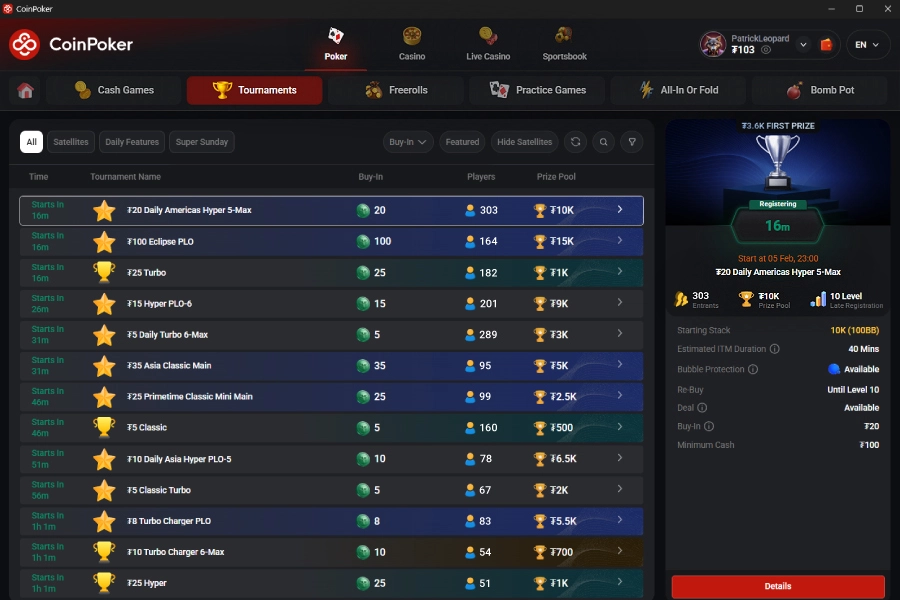
7. Browse Games & Take Your Seat
Choose from our range of games and begin playing.
Windows Install FAQs
Yes, CoinPoker works on most versions of Windows.
Yes, it takes a couple of minutes to install the app, register a CoinPoker account, and begin playing.
Once your account is registered, you can use the same login on any device.
Absolutely! CoinPoker has been trusted by players since 2017 and is a fully licensed gaming company.
Registering takes a few moments. You’ll need your email and a password.