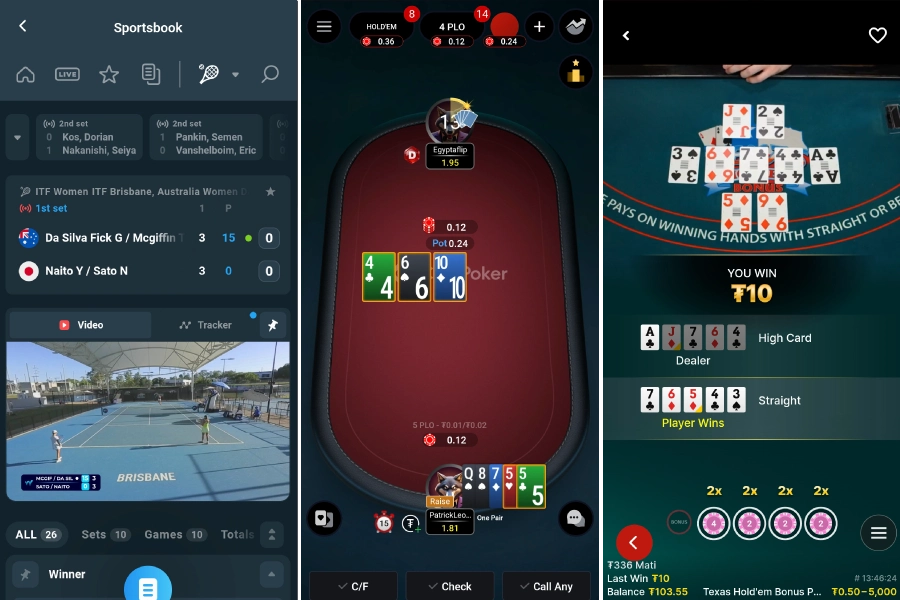










How to Deposit on CoinPoker with a Credit Card or Debit Card
Depositing with your bank card has never been easier with CoinPoker.
Follow this quick video tutorial and you’ll understand how credit card deposits work on CoinPoker.
Steps for Depositing on CoinPoker with a Credit Card or Debit Card
You can deposit funds to your CoinPoker balance without having to convert your fiat currency into crypto.
This simple process takes a couple of minutes. All you need is your card and to fill in a few details for your bank’s security checks.
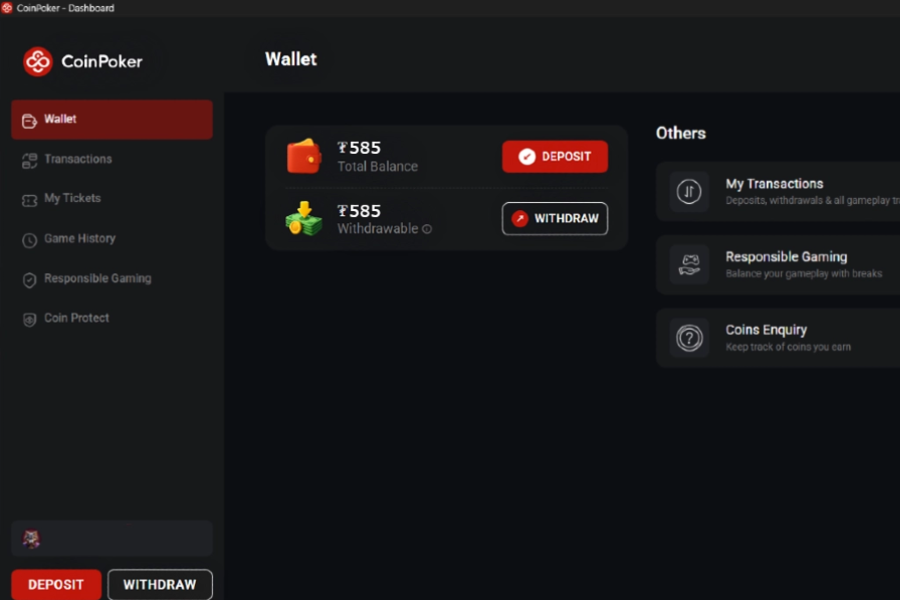
Step 1: Head to the Cashier
You will find the Cashier in the CoinPoker app. Click on your balance or the wallet symbol in the top right corner.
Step 2: Choose Deposit & Bank Card
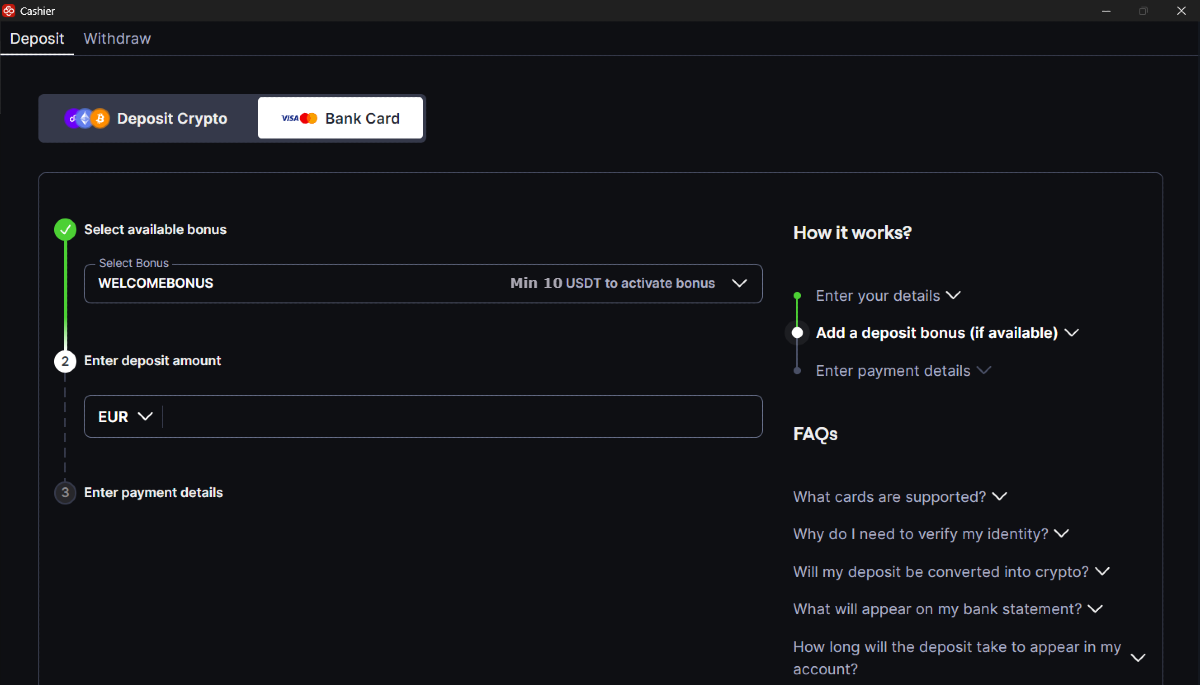
After you select Deposit, the next step is to select Bank Card.
Next, choose the 150% Welcome Bonus (activated on deposits of $10 or more) and then decide how much you’d like to add to your CoinPoker balance.
Important Note:
Some users might see a different Bank Card deposit screen, depending on where they live. For these users, the process will be much more simple, only involving three steps (bonus choice, amount choice, and card details). In this guide, we’re going to explain the more complex Bank Card process here.
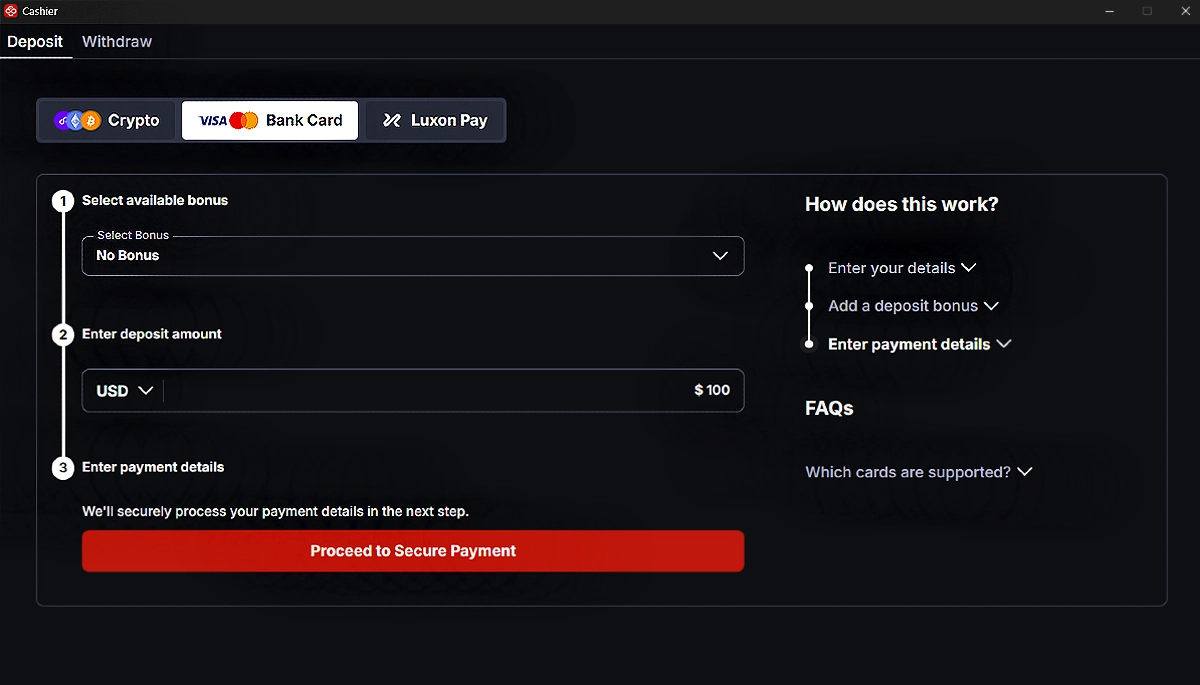
Step 3: Enter Payment Details
With your bonus and deposit amount chosen, it’s time to enter the details of your credit or debit card.
Select Proceed to Secure Payment and you’ll see a pop-up.
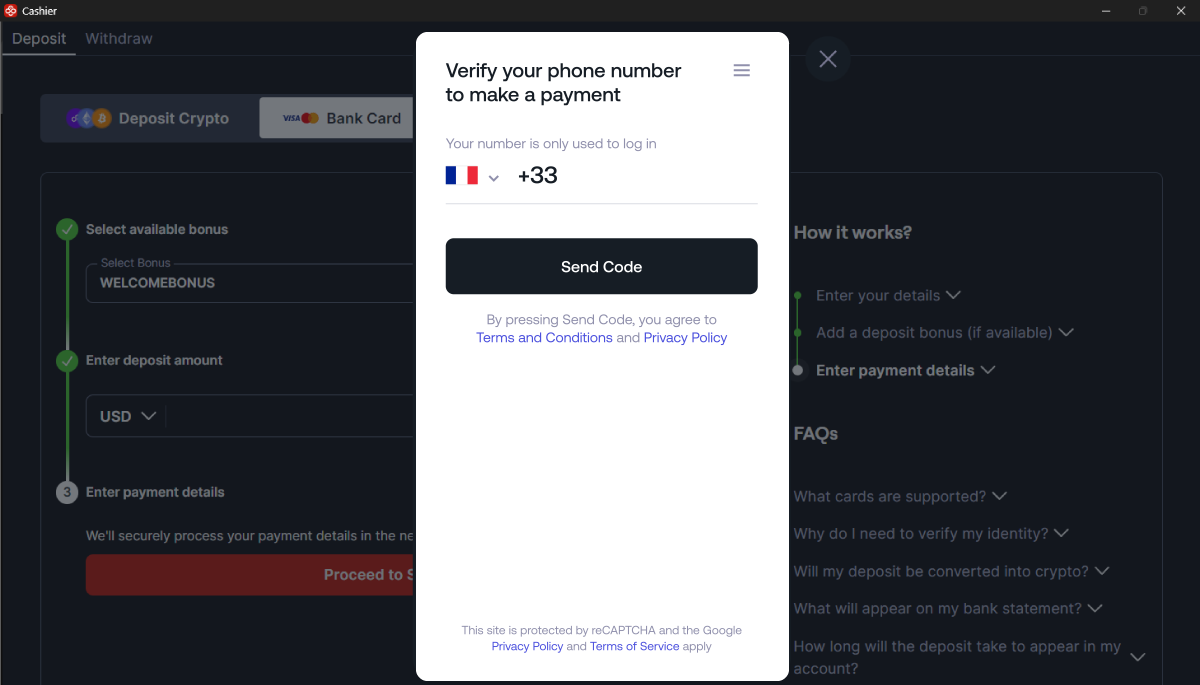
Step 4: Verify Your Phone Number
Confirm your phone number for extra security. This step ensures that nobody deposits with your card, except you.
Choose your country, enter your phone number, and click on Send Code.
You’ll recieve a 4-digit code via message or call. Make sure to remember it!
Step 5: Enter the OTP Code
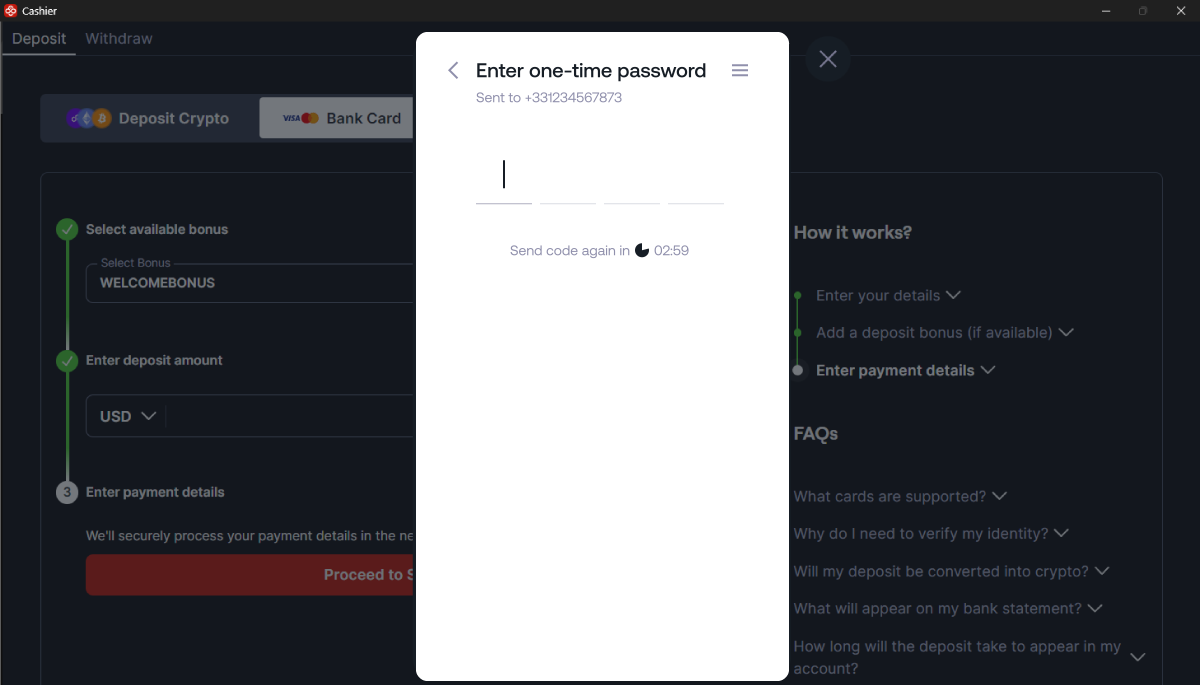
Enter your code into the payment portal, verifying your phone number.
If the code is correct, the system will automatically continue to the next step.
Step 6: Enter Card Details
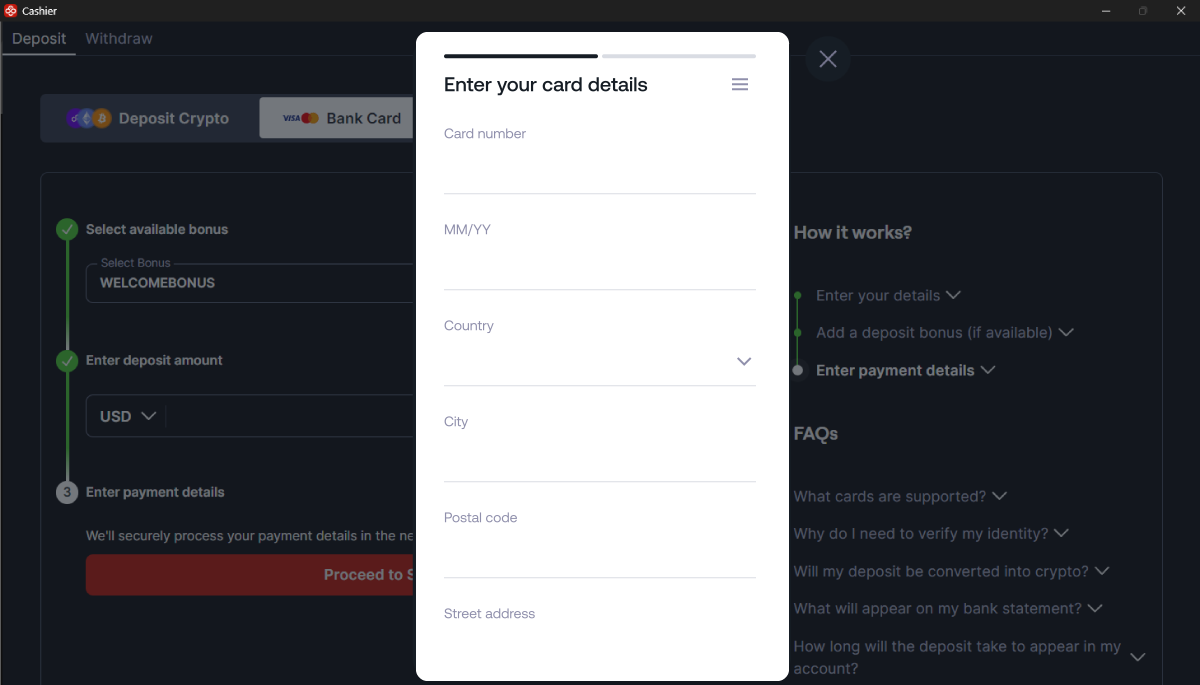
You’re close to finishing now! Enter your card details, including the expiry date, plus addressed the card is registered to.
Step 7: Confirm Details & Enter 3-Digit CVV/CVC
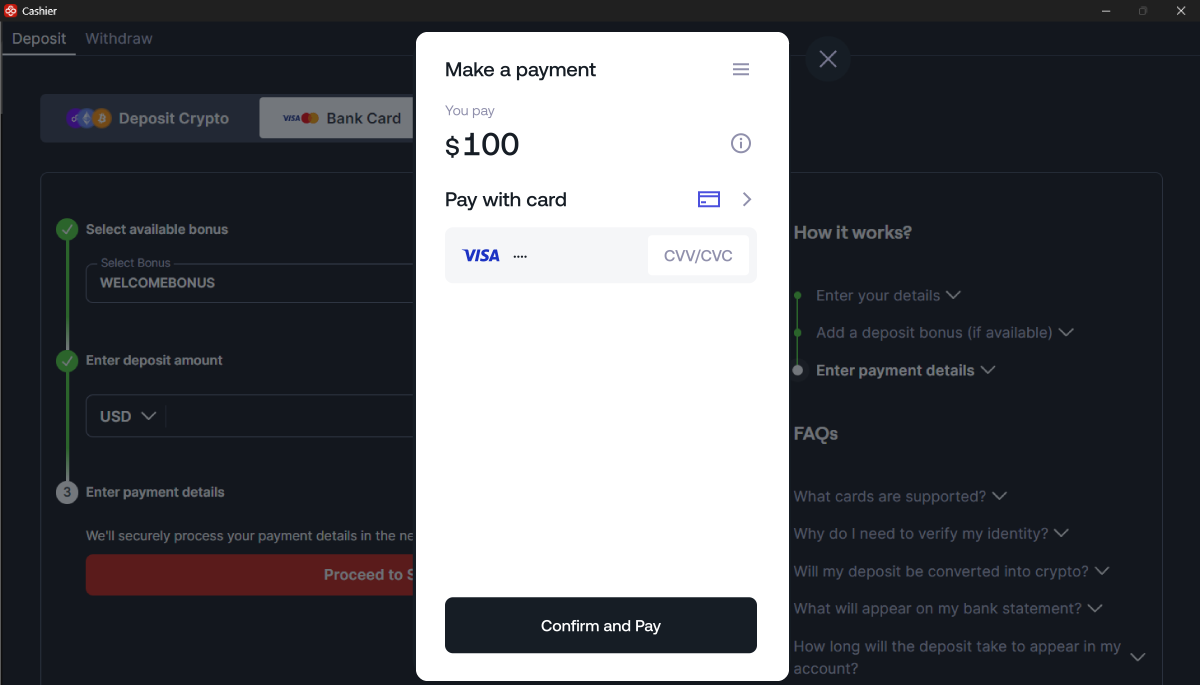
This is one of the final card deposit steps. Take a look at the amount and make sure its correct.
If it is, enter your CVV/CVC code, then click on Confirm and Pay.
Step 8: Wait for Processing
Usually, you’ll have to wait about 10 seconds for the transaction to process.
At this time, some users will be asked by their bank to verify the transaction. This request comes from your banks security policy, or from settings that you enabled. Usually, you can approve the transaction through your online banking app. There will be instructions on screen to guide you.
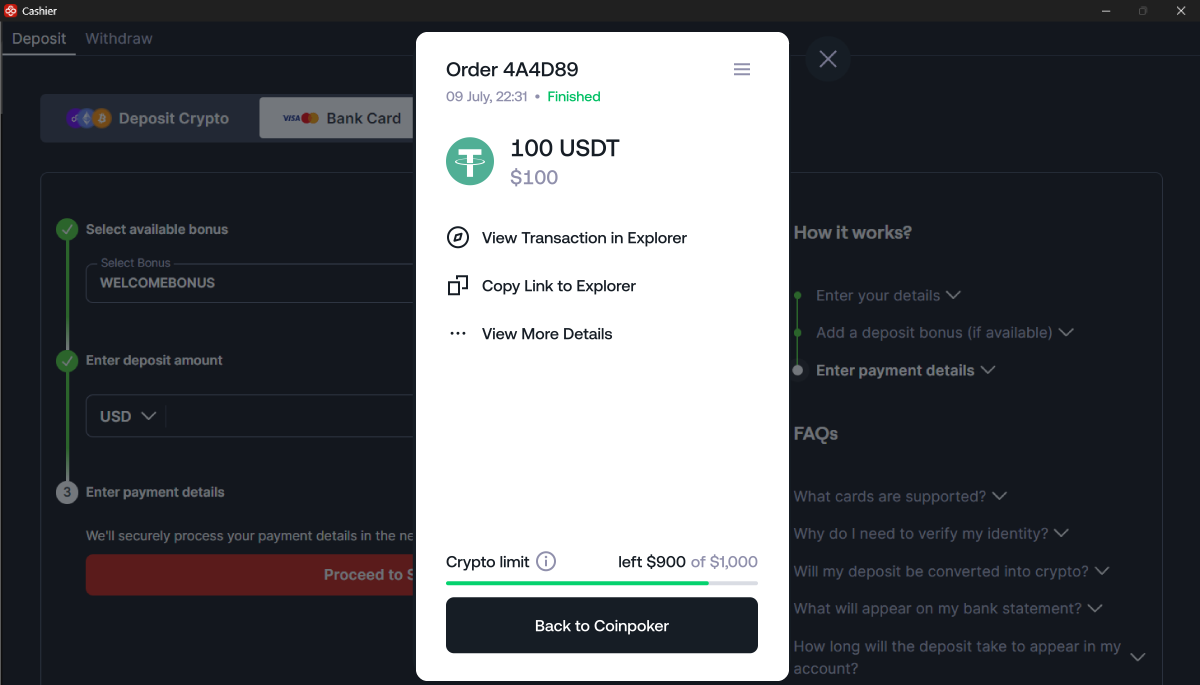
Once successful, you’ll see a “Finished” confirmation, order number, and the amount that was added to your account balance.
If you had issues here and the deposit was not completed, we’re happy to help. Contact the CoinPoker Support team today.
Step 9: Choose Games & Get Into the Action
After that, you’re ready to get into the games. Choose from a wide array of online poker cash games and tournaments.
If you still want to learn the ropes, head to our Freeroll section or Practice Game section for 100% free poker games.
We also have a fully-stocked crypto casino and complete crypto sports betting app, all within the CoinPoker platform.