












What Are Missions?
By playing eligible games and completing CoinPoker Mission objectives, you can earn real money rewards and tickets.
If you receieved a Mission from a Bankroll Boost, we will explain how to view Missions, plus how to track and complete them.
Where Are My Missions?
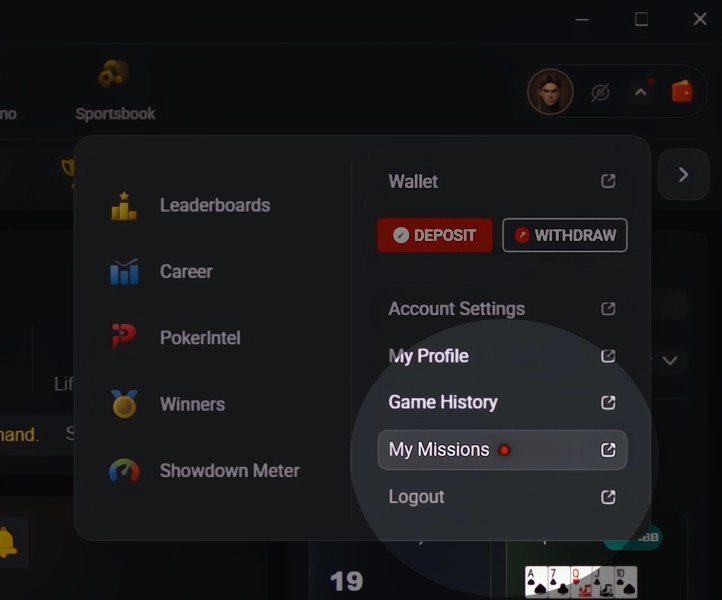
On Windows or Mac, click the Wallet icon or Account Settings and select My Missions.
On iOS or Android, click your avatar and select My Missions at the top of the menu.
From there, you can:
- View active Missions and check completed Missions
- See Mission rewards and view earned rewards
- Track your Coins balance
If you don’t see My Missions, it means you don’t have active Missions yet and have not recieved a Bankroll Boost.
How to Earn Rewards With Missions
Here is how to start earning rewards with your Missions:
1. View Your Active Missions
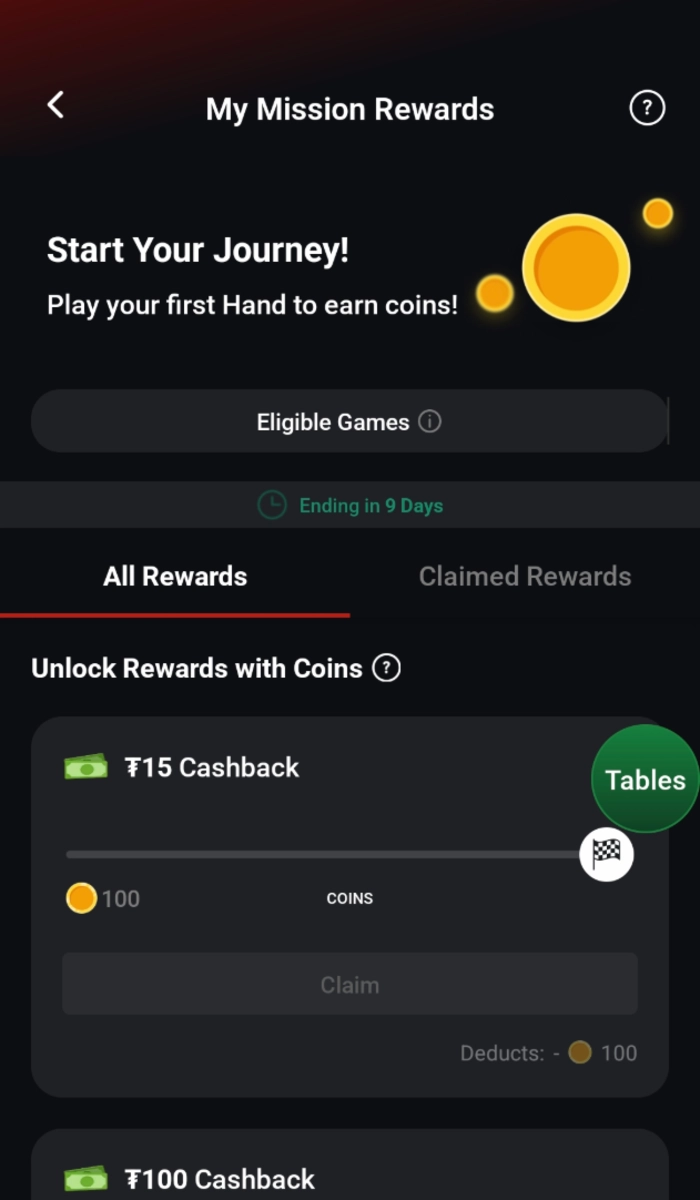
Open My Missions in Account Settings to see your active Missions.
If you do not see any active Missions inside of the My Missions section, it means that you have not had a Bankroll Boost activated.
Each Mission displays the reward available, the remaining time to complete it, and the eligible game types.
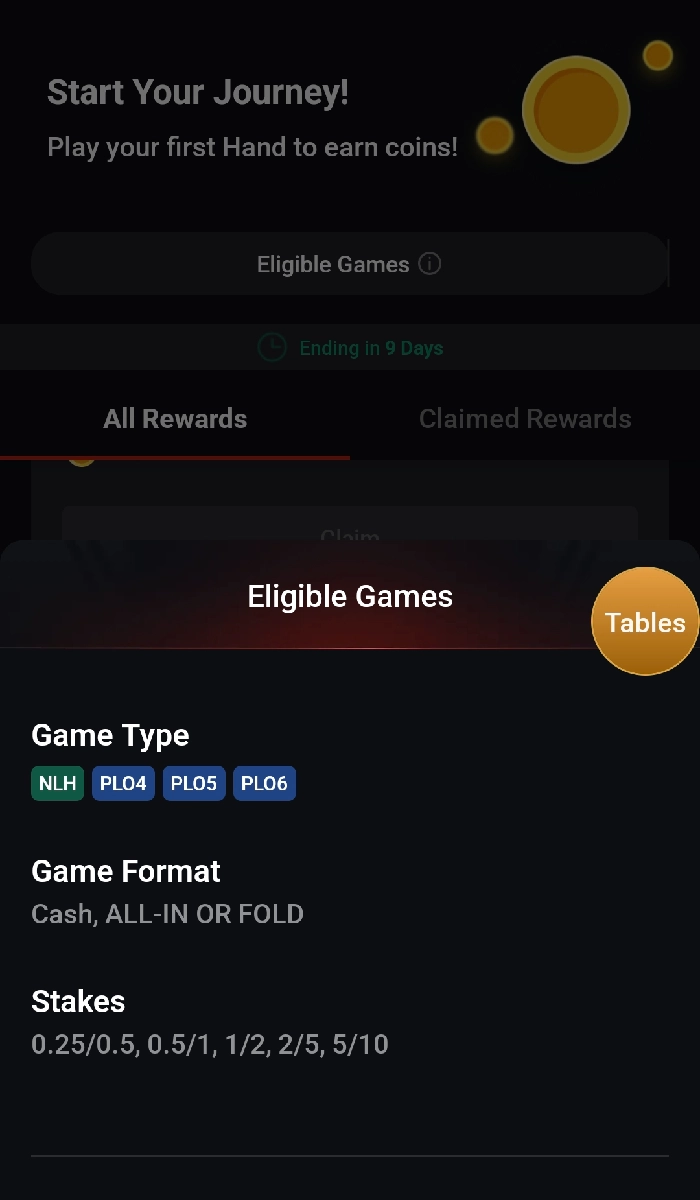
To see the exact games and stakes that qualify for the Mission, click View Criteria.
2. Play Eligible Games
Join one of the Eligible Poker Games listed on your Missions page. Different types of poker games and stakes will be clearly shown there.
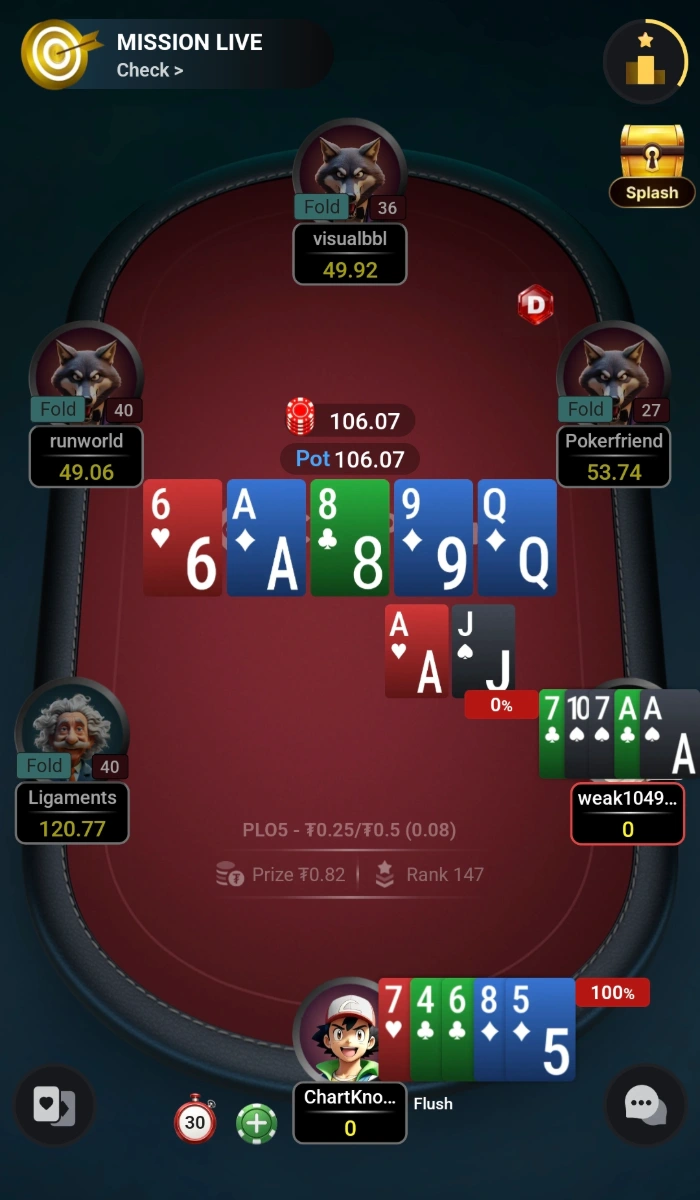
When you enter a table, a Mission Live indicator will appear at the table to show that your gameplay is contributing toward your Mission progress.
Depending on your Mission, different actions unlock rewards.
- Cash game hands can contribute to Missions.
- Cash game fees (Coins) can contribute to Missions.
- Tournament entries can contribute to Missions.
- Reaching a certain dollar-value of tournament entries can contribute to Missions.
3. Make Progress & Collect Rewards
As you play eligible games, your Mission progress will increase.
You’ll see an icon in the top left of your table that takes you straight to the My Missions page, if you want to check your progress mid-session.
Once you have completed a Mission, you can unlock and claim available rewards directly from the My Missions page. Once you claim a reward, it is instantly available to be used.
Important Information About My Missions
Here are some key things to know about Missions:
- Players will receive Missions based on their gameplay
- Every player should not expect to receive Missions, as they are based on specific criteria
- Receiving a Mission in the past will not guarantee future Missions
- Missions have specific completion requirements and can’t be unlocked partway through
- Only eligible games count toward Mission progress
- Different Missions may support different game types and stakes
- Missions have a limited completion period
- Coins are earned by playing qualifying games
- Coins can be exchanged for rewards
- Mission progress is tracked automatically
- A Mission Live indicator appears at eligible tables
Mission Frequently Asked Questions
Missions are a feature of Bankroll Boosts, which support players during downswings or patches of negative variance. This means that not every player should expect to receive a Mission, even if they have gotten one in the past.
Click View Criteria on the Mission to see the eligible game formats and stakes.
Mission Live indicates that the table you joined is eligible for your active Mission and your gameplay is contributing toward Mission progress.
Coins are earned by playing eligible cash games or tournaments that qualify for active Missions.
Your Coins balance can be viewed within the My Missions section under Coins Balance.
Available rewards include real money for use on CoinPoker, tickets, and other promotional rewards.
Missions are awarded on a personalized basis, meaning that your Mission may be different from another player’s.
Completed Missions are displayed under the Completed tab.
Mission rewards can only be unlocked once the full Mission has been completed.
If a player has a Mission to earn 50 Coins for a reward, they can not unlock half of the reward after reaching 25 Coins.
Yes, Missions must be completed within the time period shown.
Yes, progress updates automatically while you play eligible games.