
















How to Reset Your Password on CoinPoker
If you have forgotten your password or want to change it, fear not! This guide will explain the full process, and you’ll be able to log in with your new password soon.
Step 1: Open the App
After you open the CoinPoker app, click on “Forgot Password?” above the Login button. This is the same on mobile devices and computers.

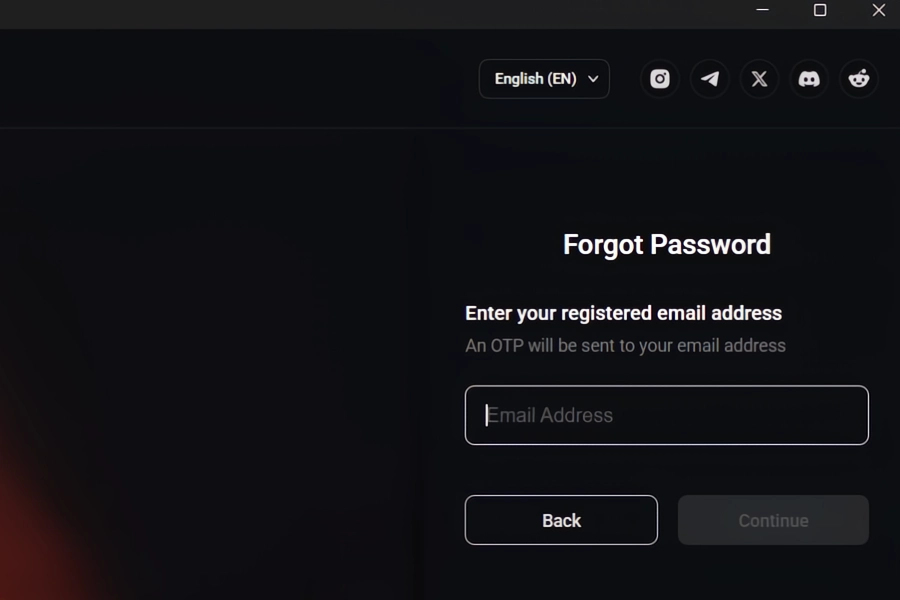
Step 2: Enter Your Registered Email
Type in the email that you used to create your CoinPoker account. We’ll send a 6-digit OTP code to this address.
Step 3: Check Your Email for OTP Code
Look in your inbox and Spam folder to find the email from CoinPoker.
We’ll call this email “CoinPoker: OTP for Password Reset.” Depending on your email settings, it could accidentally get filtered into junk mail.
When you find it, remember the 6-digit OTP code and return to the CoinPoker app.

Step 4: Return to the CoinPoker App
Key in the OTP code, and set a new password.
Type your chosen password, then confirm it. Once you’re happy with it, click on Verify & Continue.

Step 5: Success! Log In to CoinPoker Again
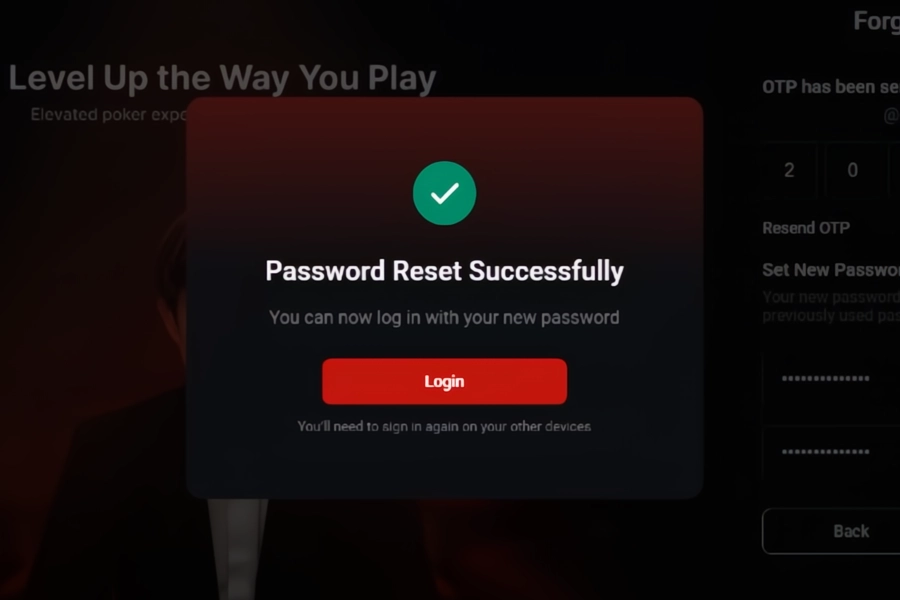
You’re all set! If both of your chosen passwords matched, and the OTP code was correct, you’ll see the screen below.
This password change will log you out of other devices, so you’ll need to enter your new password again there.
Enjoy the games!
In case you are having trouble with the feature, please contact us via email ([email protected]) so we can assist you further.