







How to Withdraw from CoinPoker to your Personal Wallet
The withdrawal process on CoinPoker is quite simple and takes a few minutes (depending on the time of day) to transfer funds to your wallet.
There are these few easy steps to follow:
Step 1: Open the CoinPoker Cashier (Your Wallet)
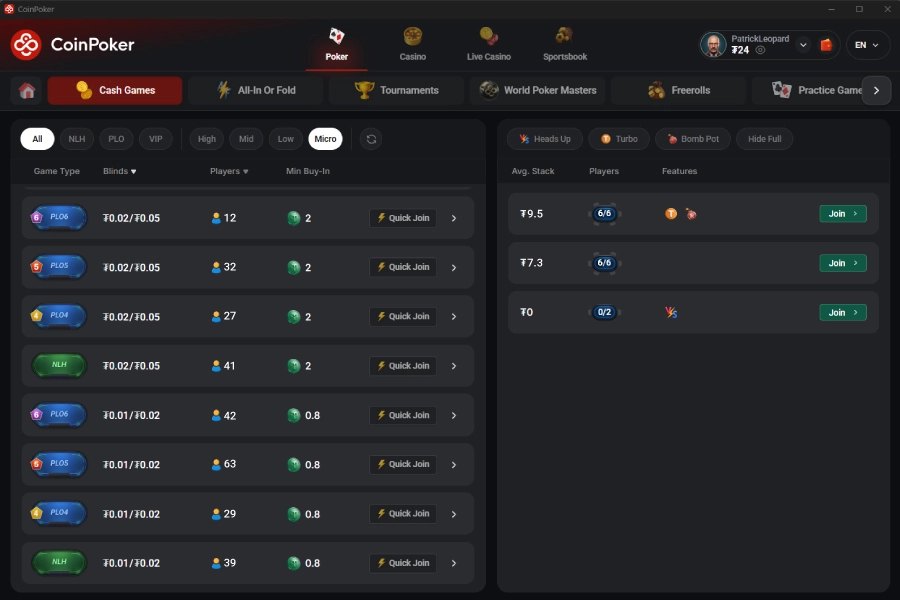
Find your Wallet by clicking the wallet icon in the top right corner of the desktop application (beside your username).
On mobile, find the wallet in the upper right corner, or click on Wallet in the lower menu.
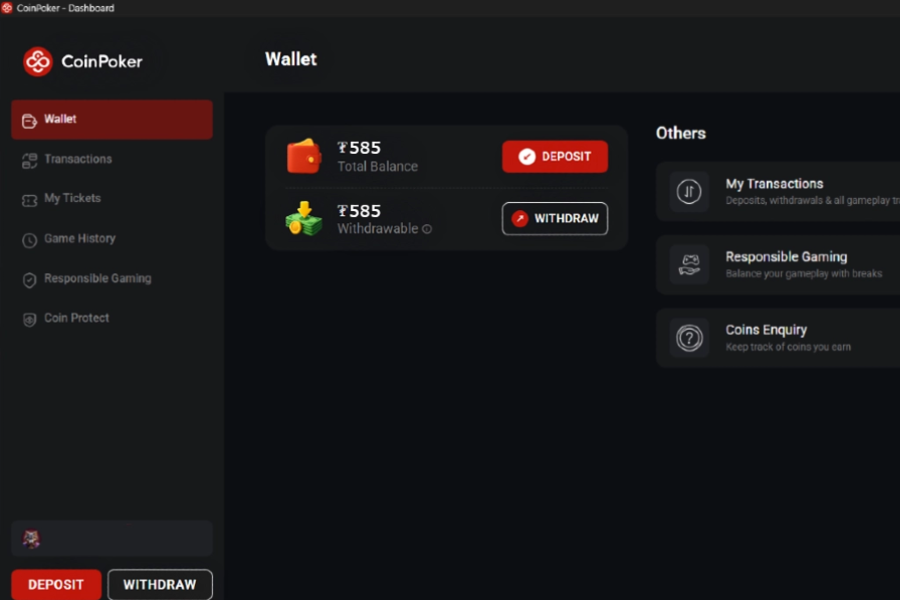
Step 2: Select Withdraw (Below Deposit)
Hit the Withdraw icon to start the withdrawal process.
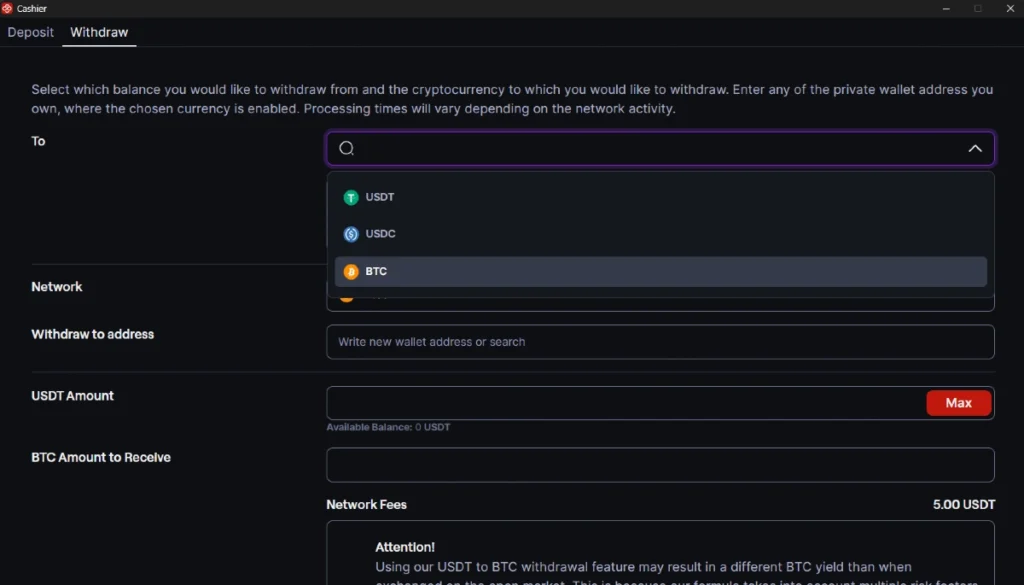
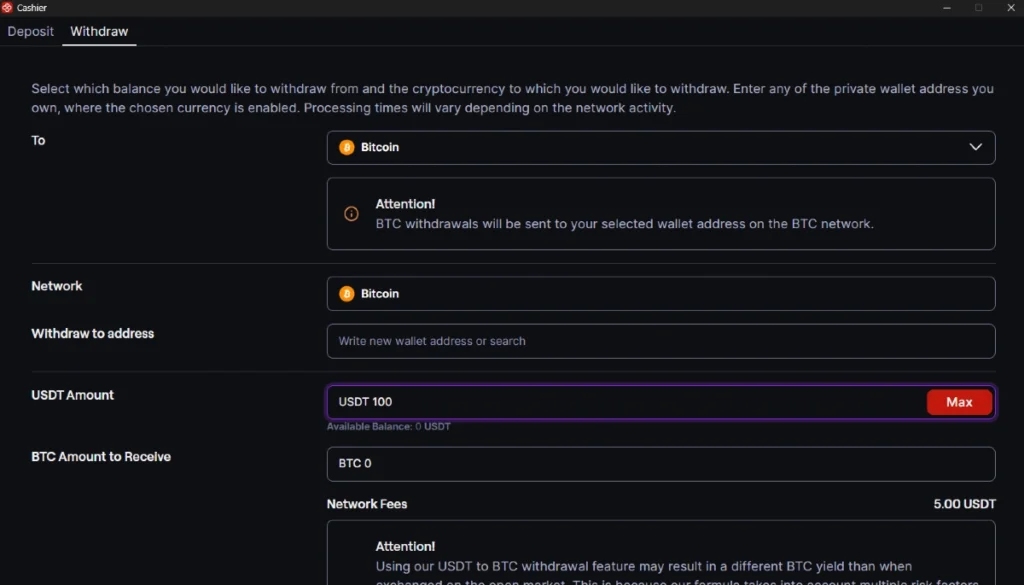
Step 3: Select a Crypto & Network
Choose the cryptocurrency you want to use for your withdrawal. We accept USDT, USDC, and BTC withdrawals.
Afterwards, select one of the available networks to use.
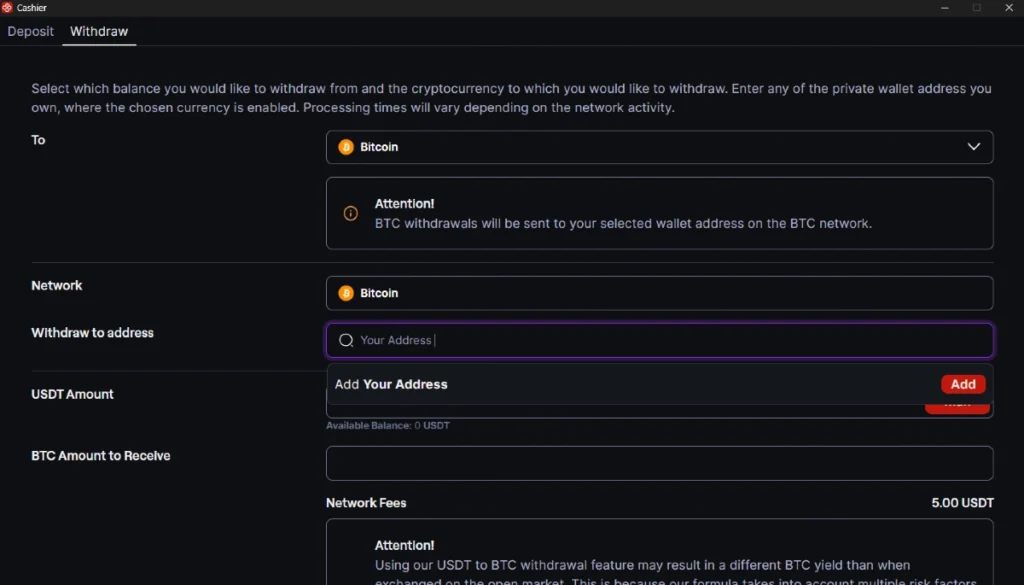
Step 4: Input Your Wallet Address
Carefully enter or paste your crypto wallet address into the field underneath Network. This is the destination for your withdrawal.
Step 5: Choose an Amount to Withdraw
Input the amount (in USDT) that you want to withdraw from your CoinPoker balance.
Step 6: Complete the Withdrawal
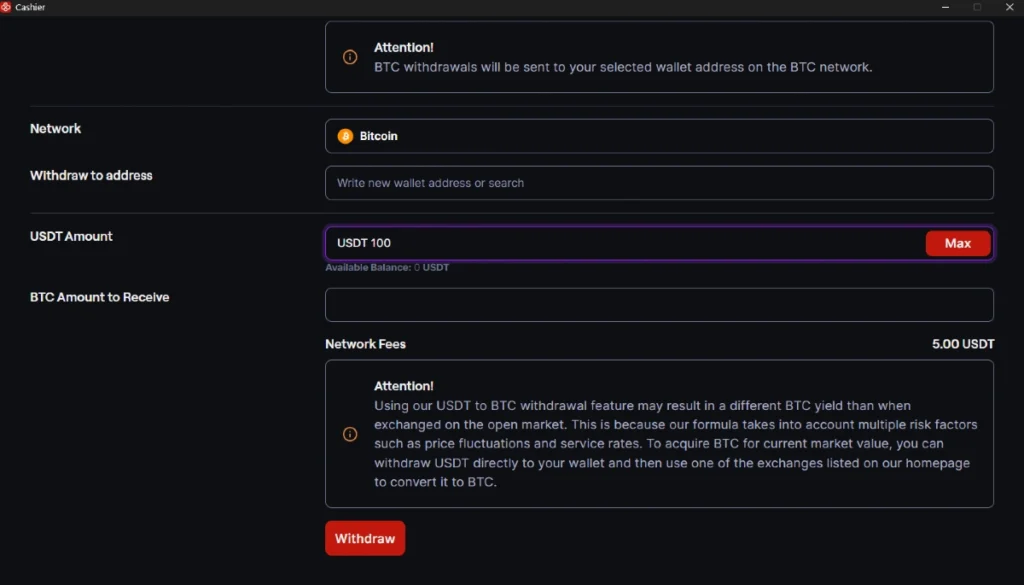
Once you’ve confirmed the address, cryptocurrency, network, and amount are correct, you can hit Withdraw. This will send the crypto to the address you specified.
Please keep in mind that withdrawals are almost instant, however, based on traffic on the blockchain, there may be a delay.
If a fee applies to the transfer, it will be shown underneath the Amount to Receive.
If you have any questions or need help with this process, you can directly email us at [email protected]. We’ll respond as soon as possible and guide you through the process.