







How to Add CoinPoker to Your Home Screen
Adding CoinPoker to your device’s home screen provides quick access to the platform without requiring an app download.
This guide walks you through simple steps for both iOS and Android, so you can start playing faster on your mobile device.
How to Add CoinPoker to iOS Home Screen
Follow these steps in your Safari browser to create a convenient shortcut to CoinPoker on your iPhone or iPad.
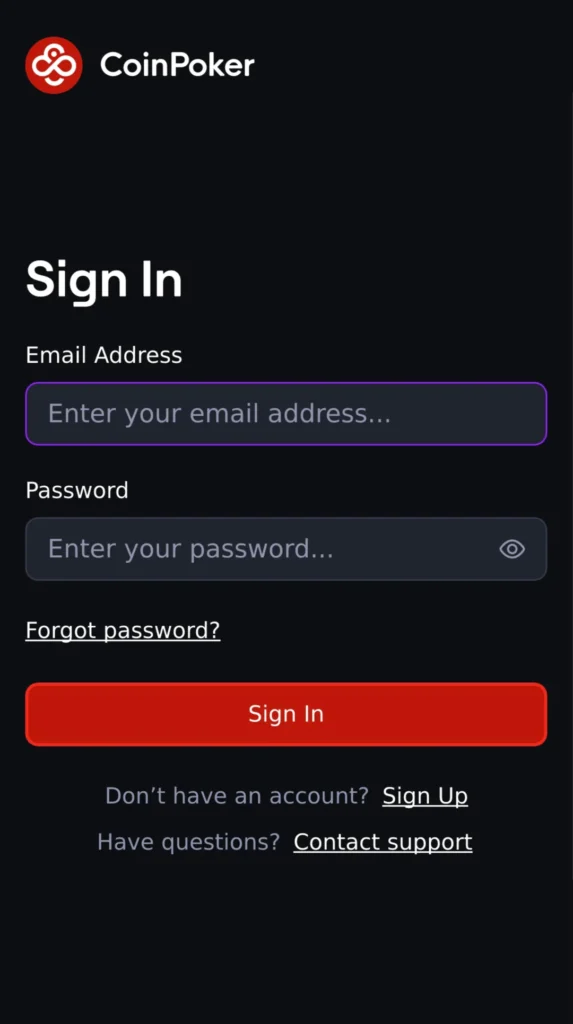
Step 1: Open CoinPoker in Safari
Visit Play.CoinPoker.com using the Safari browser on your iPhone or iPad.
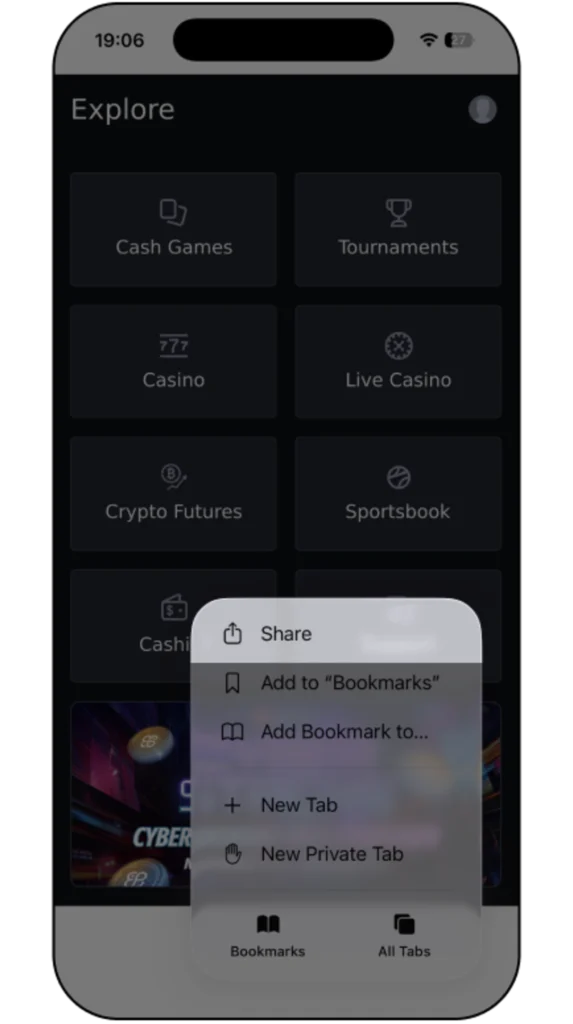
Step 2: Open the Action Menu
Tap the three dots at the bottom of the screen to open the action menu.

Step 3: Select Share
Scroll through the options and select Share.
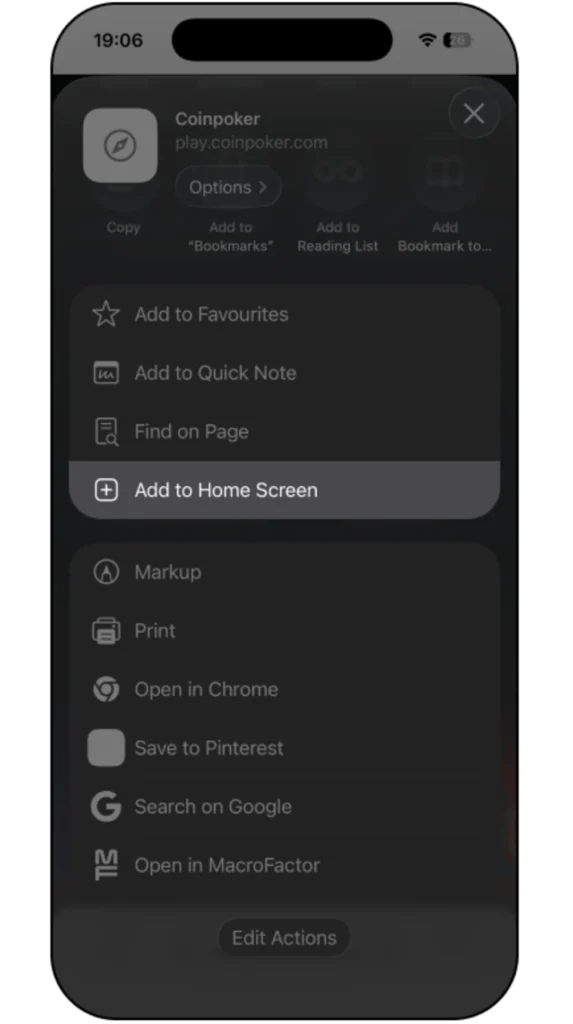
Step 4: Select Add to Home Screen
Scroll through the options and select Add to Home Screen.
Step 5: Confirm and Add
Rename the shortcut if you want, then tap Add. The CoinPoker icon will appear on your home screen.
How to Add CoinPoker to Android Home Screen
Follow these steps to add CoinPoker to your Android device’s home screen for quick access to the platform.
Step 1: Open CoinPoker in Your Browser
Launch your preferred browser and go to Play.CoinPoker.com
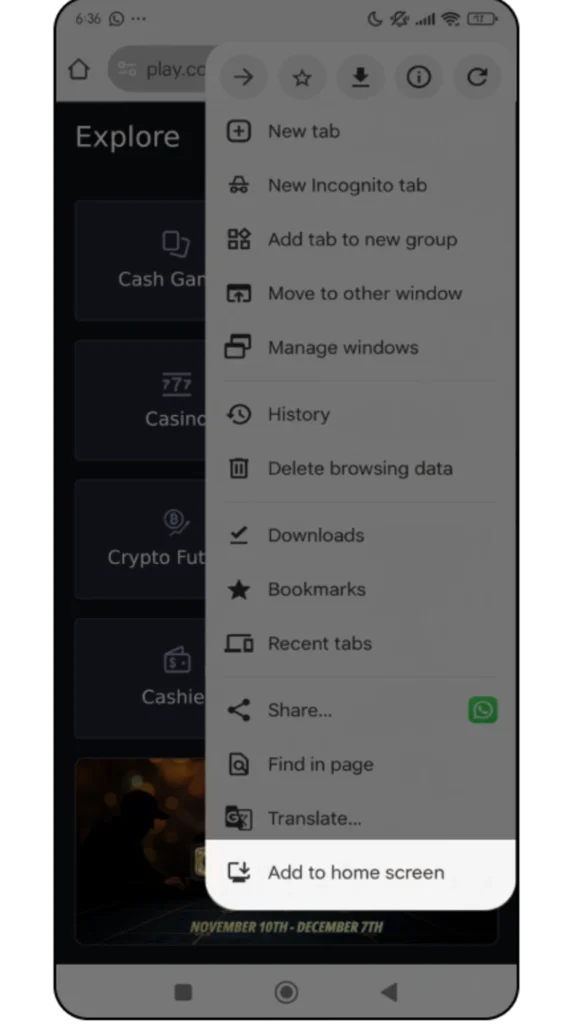
Step 2: Open the Browser Menu
Tap the menu button, typically found in the top right corner of the screen.
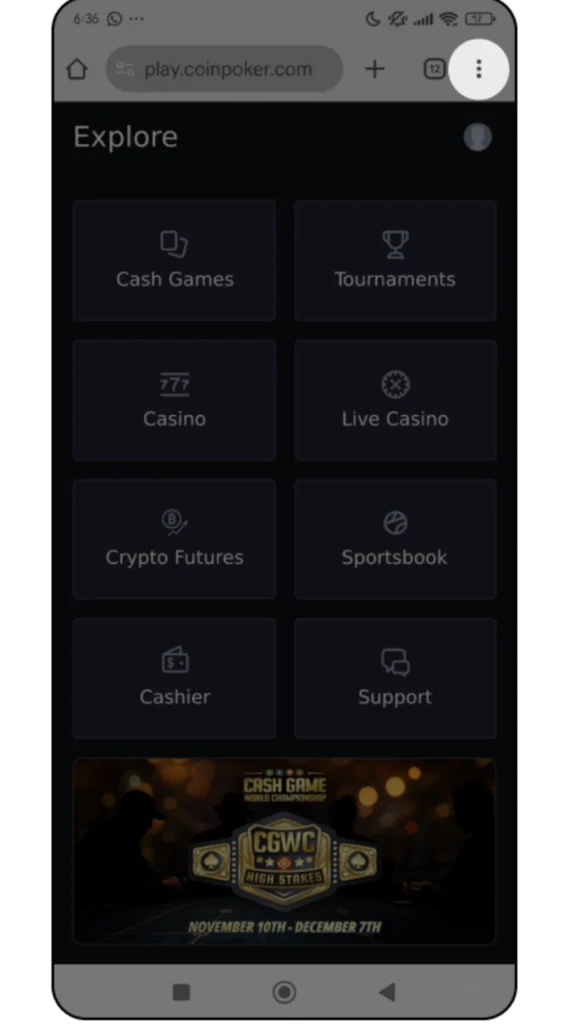
Step 3: Select Add to Home Screen
Choose the Add to Home Screen option from the menu.
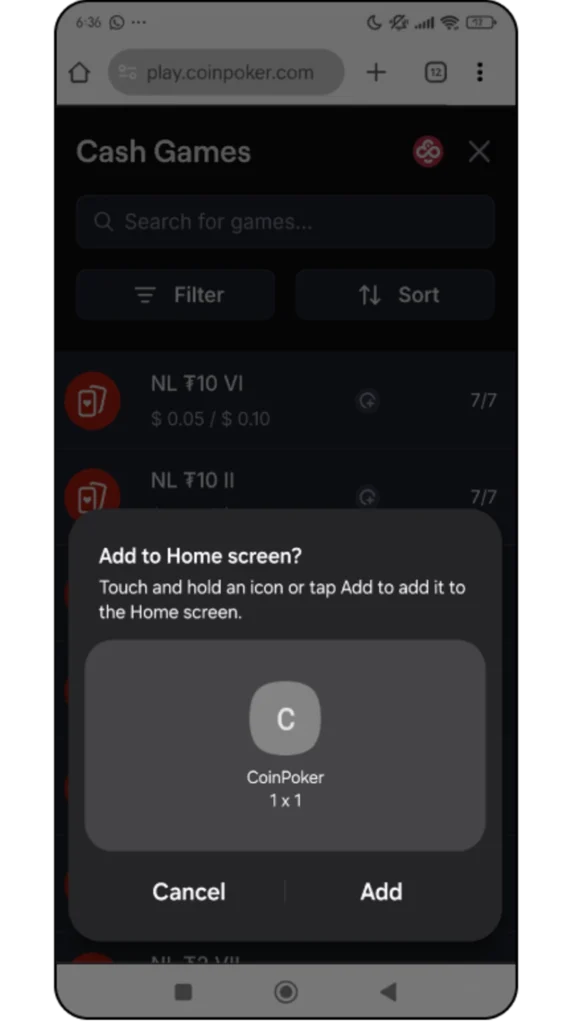
Step 4: Confirm and Place the Shortcut
Give the shortcut a name if you’d like, then tap Add to place it on your home screen.
Play CoinPoker Anytime on Your Device
Now that you know how to add CoinPoker to your home screen, you can jump straight into fast, secure blockchain-powered poker whenever you want.
Start playing today and don’t miss out on a 150% Welcome Bonus up to $2,000 when you register a CoinPoker account!